Lumi
Phrase-aware lighting automation for DJ sets.

Lumi
Your lighting plan, ready before the next track starts
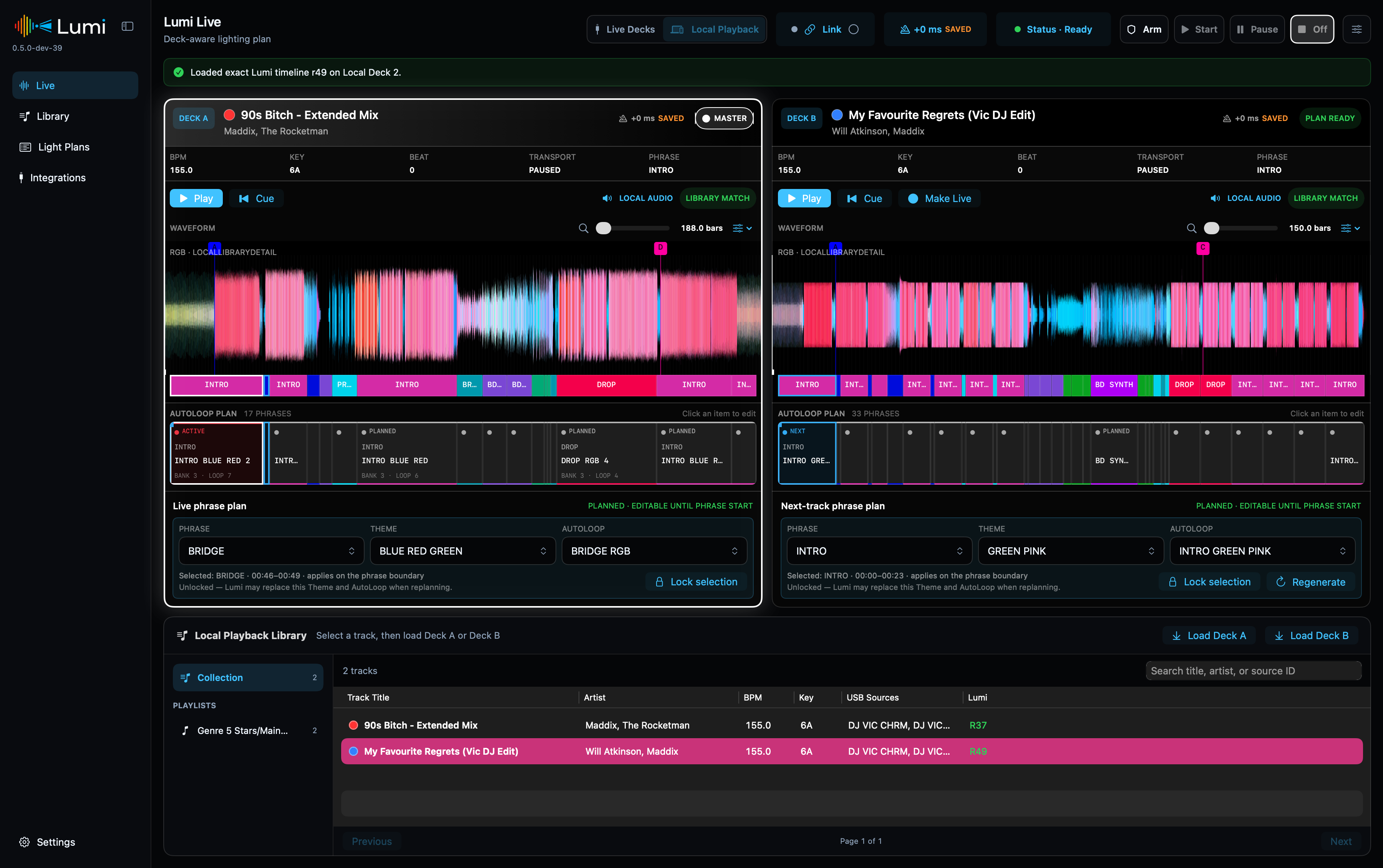
Lumi is a native macOS app that turns track structure into a prepared lighting plan. It watches the current and next deck, follows phrase changes and triggers your own SoundSwitch AutoLoops without taking over fixture or DMX control. Lumi Remote brings that same focused Live Decks experience to an iPhone in the booth while the Mac remains fully responsible for the show.
Download Lumi · Read the user guide · Use Lumi Remote · Try the Simulator · Report an issue
Current public beta: Lumi 0.6.3 and Lumi Remote 0.1.1. The Mac has a DMG installer; the iPhone app uses the free Xcode installation route.
Public Beta: Lumi is ready for structured field testing across different compatible DJ and lighting setups. Read the beta test guidance and complete a dry run before relying on it during a show.
Take Live Decks into the booth
Lumi Remote for iPhone keeps the live Master and prepared next Player within reach. It mirrors the authoritative RGB waveform, phrases and Light Plan, keeps the three integration states visible, and allows only the same revision-safe booth controls already owned by the Mac engine.
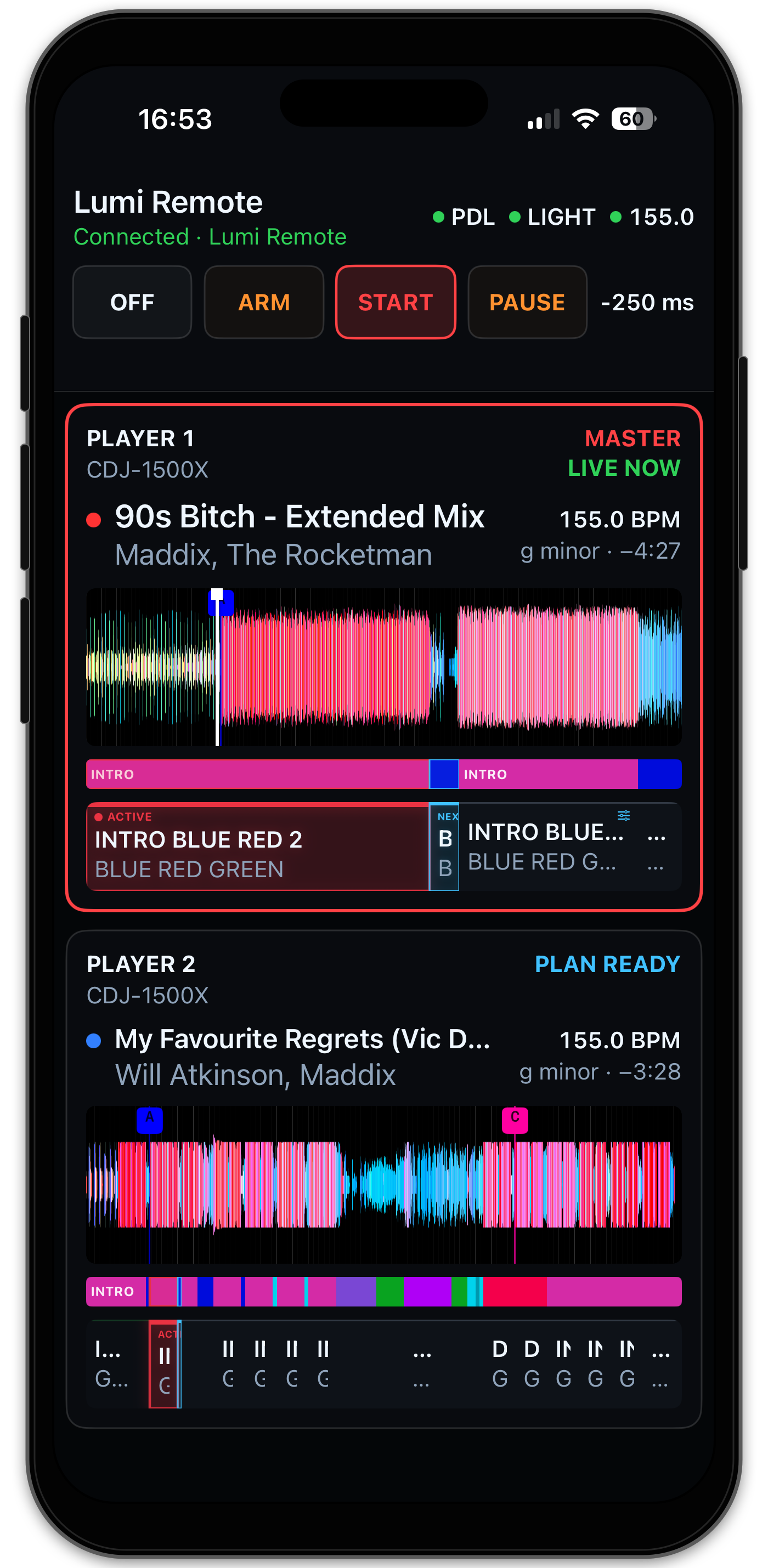
The connection stays local and encrypted. Losing the phone never stops the Mac engine or changes the lighting output. Continue with the Lumi Remote guide to install the current beta from source with Xcode and pair it with the Mac.
Prepare once, adjust when needed
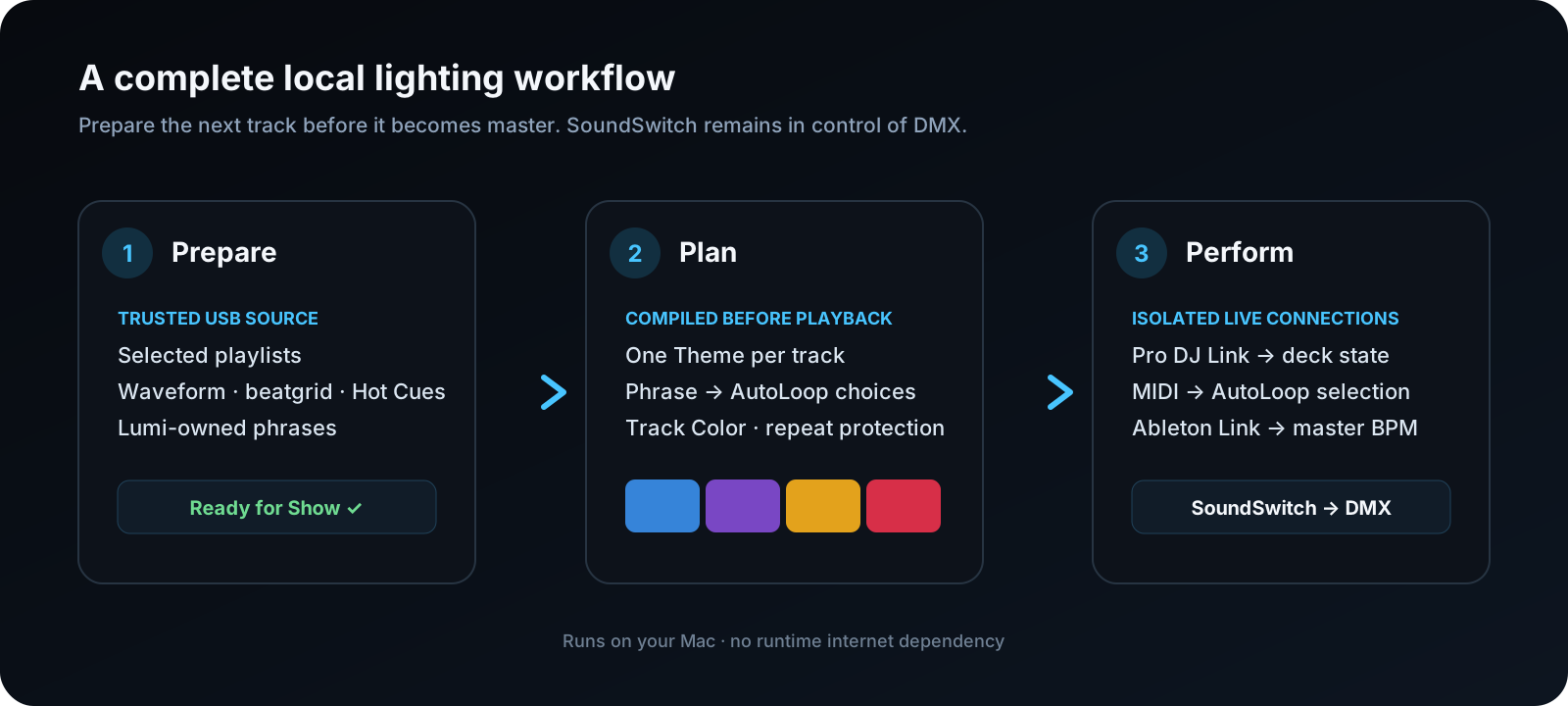
- Synchronize selected playlists from trusted rekordbox OneLibrary USB media.
- Check the waveform and beatgrid, then create the phrases that matter to your lighting workflow.
- Connect those phrase roles to your own SoundSwitch Banks and AutoLoops.
- Let Lumi compile a varied full-track Light Plan before playback.
- Keep the automatic plan or adjust a future Theme or AutoLoop from Live view.
Built for the booth
- Current and next deck: both tracks stay visible, with phrases and planned lighting below the waveform.
- Predictable output: Lumi sends button-like MIDI actions at phrase changes; it does not continuously control the SoundSwitch timeline.
- Works beside Control One: manual operator choices and Lumi can coexist.
- Runs locally: no internet dependency during preparation or a show.
- Dry-run mode: Local Playback lets you prepare and test without decks.
- iPhone booth companion: the Master, next Player, integration health and revision-safe live controls remain visible beside the mixer.
Clear integration boundaries
- Pro DJ Link supplies read-only player and mixer state.
- Ableton Link relays only the master BPM to SoundSwitch.
- MIDI output selects mapped Banks, AutoLoops and verified Static Looks.
- SoundSwitch remains responsible for fixtures, effects and DMX output.
Edit the musical structure you actually use
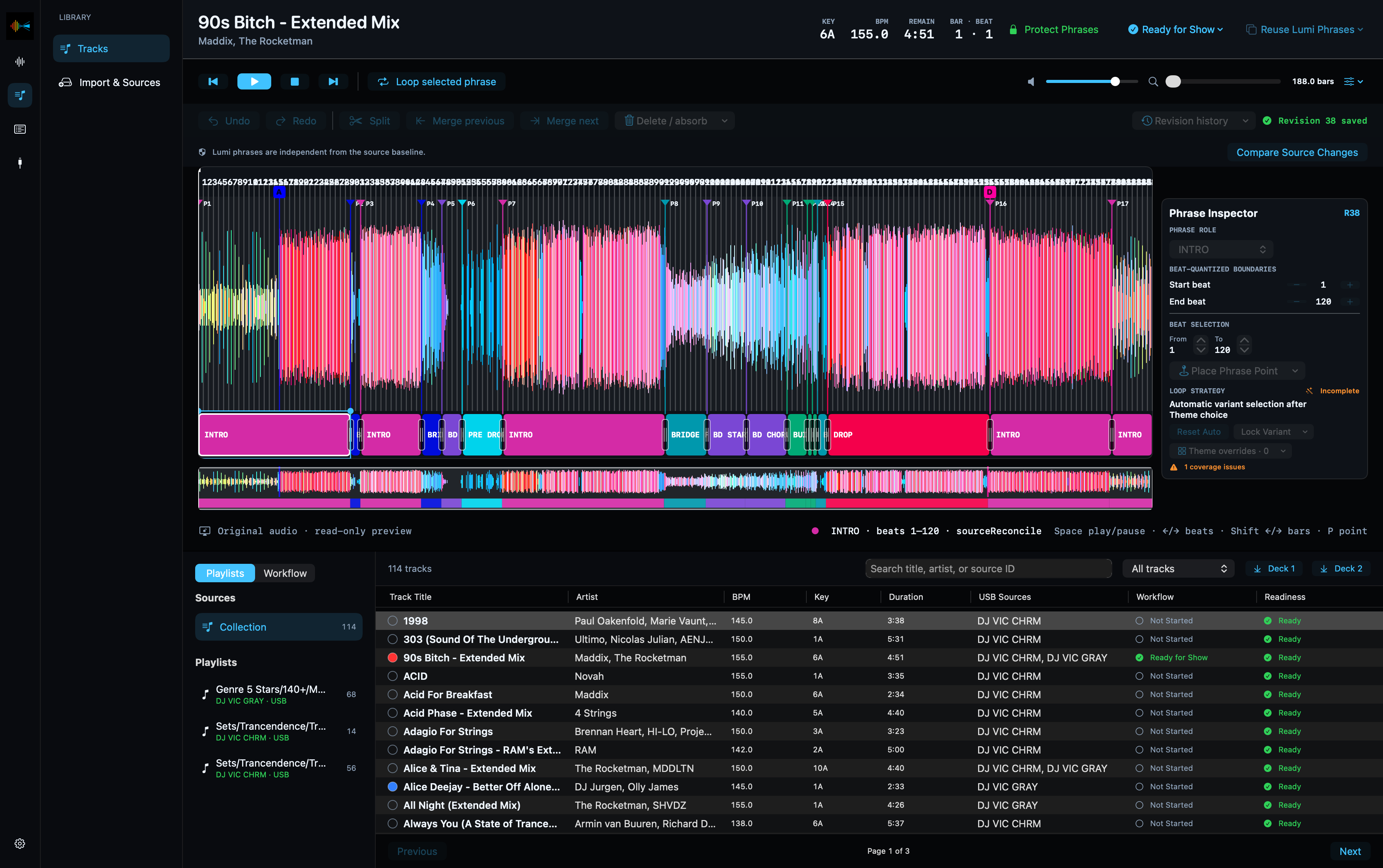
Track Editor places beat-quantized Lumi phrases directly beneath the imported RGB waveform and beatgrid. The overview preserves the whole-track context while the detailed waveform can be zoomed for an exact transition.
Plan variation before playback
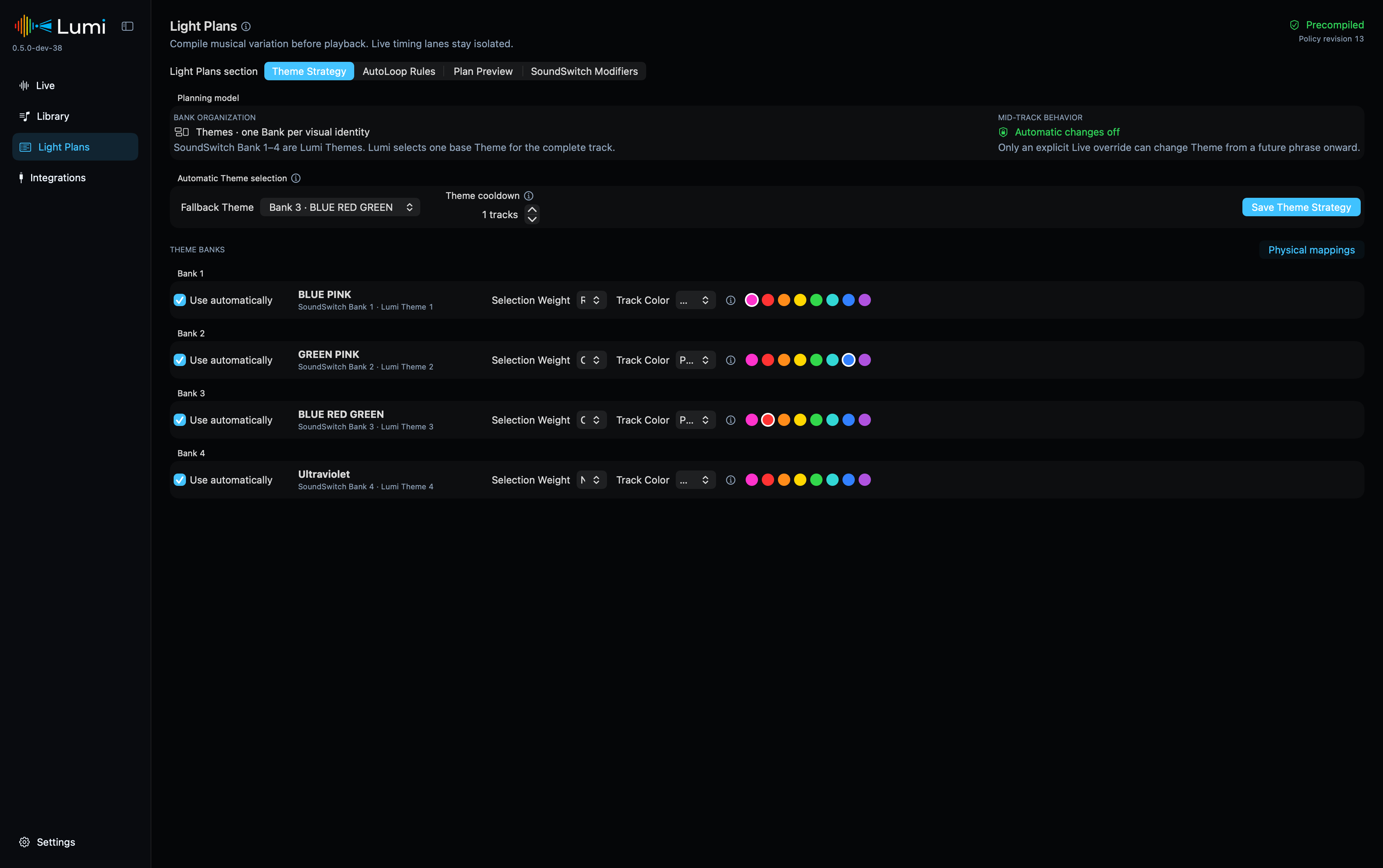
Light Plans combine the configured SoundSwitch Themes and AutoLoops with Phrase Roles, Track Color preferences and repeat protection. The result is compiled before playback, so live output does not depend on UI work or last-second plan generation.
One phrase language throughout Lumi
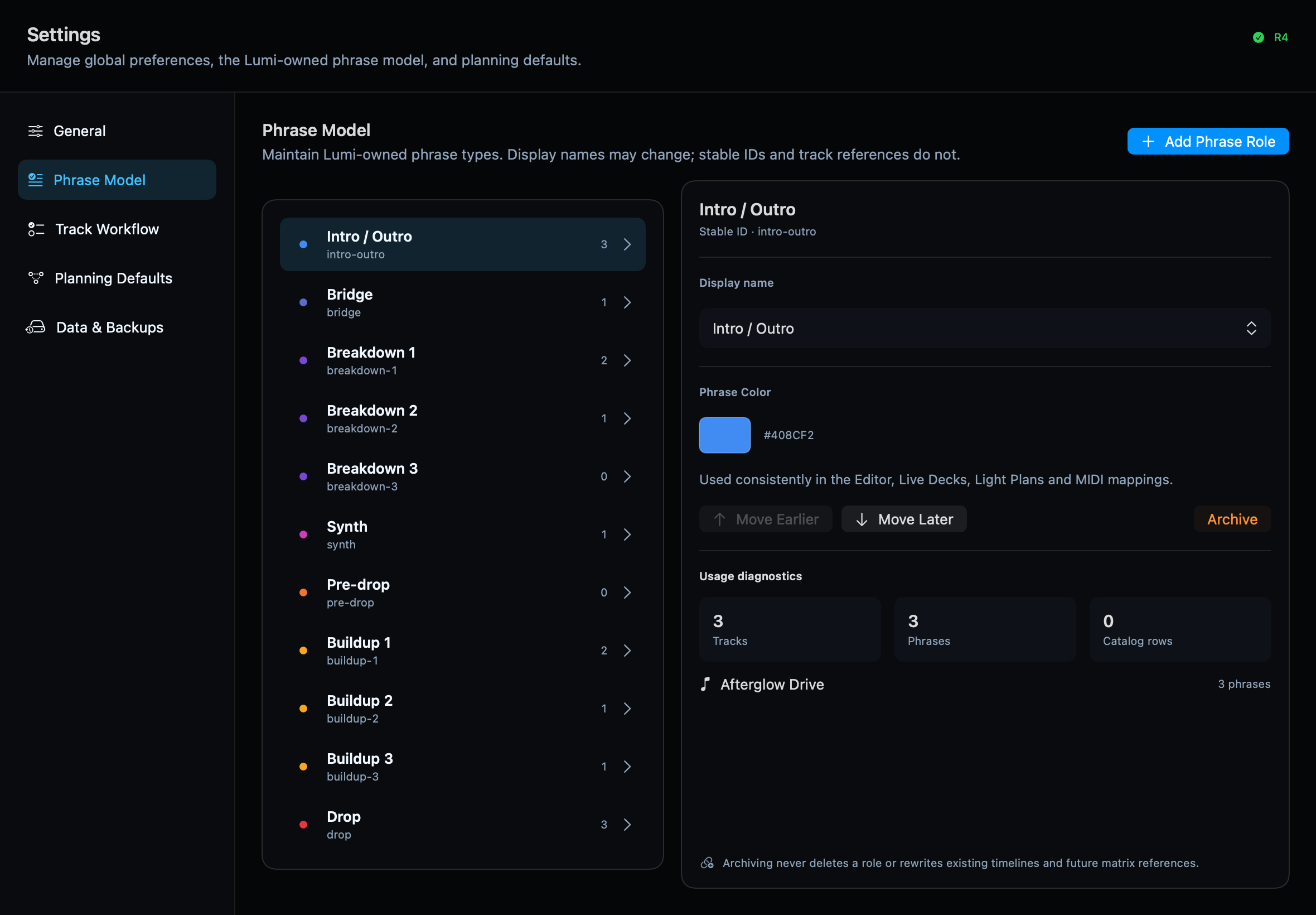
Phrase Roles and their colors are yours to configure. The same model is used consistently in Track Editor, Live, Light Plans and output mappings.
Familiar SoundSwitch mapping
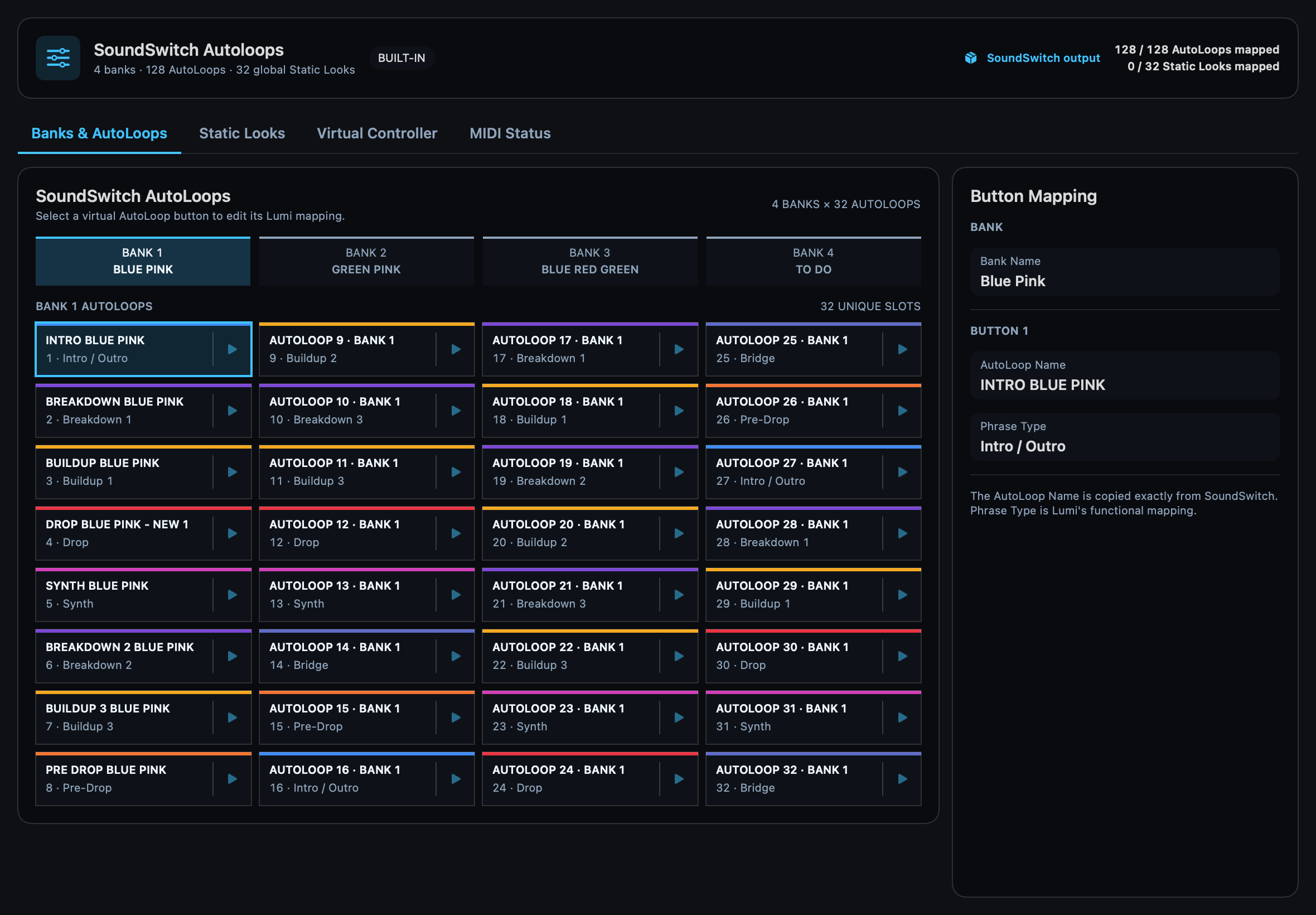
The Lighting Output workspace mirrors four SoundSwitch Banks with 32 AutoLoop slots each. Names, Phrase Roles and MIDI mappings remain visible and testable in one place.
System requirements
- Apple Silicon Mac running macOS 15 or newer
- rekordbox OneLibrary USB media
- SoundSwitch with MIDI input
- Pro DJ Link-compatible players for Live Decks
The current reference setup uses CDJ-1500X players, a DJM-V5, SoundSwitch, Control One and a DMX lighting rig. Test every release with your own hardware and show file before live use.
Lumi Remote additionally requires iOS 18 or newer. During the current beta it is installed from source with Xcode and the tester’s own free Apple Account; Apple’s Personal Team provisioning expires after seven days. TestFlight is a future distribution step and is not currently available.
Continue with the complete user guide.
Lumi is an independent project and is not affiliated with AlphaTheta, rekordbox, inMusic or SoundSwitch. Source code is licensed under EPL-2.0; names and branding are covered separately by the project trademark notice.